Best mouse for CS2: shapes, specs and pro choices (2026)
Compare seven CS2 mice by shape, weight, dimensions, sensor and polling rate, with pro-player examples, grip advice and DPI settings explained.
Key facts
- ShapeCompare palm, claw and fingertip contact before choosing a shell
- WeightThe models below range from under 49 g to 99 g
- PollingThe comparison includes wired and wireless mice at up to 8,000 Hz
- SensitivityeDPI combines mouse DPI with the in-game sensitivity setting
Watch
From other channels; the video plays on YouTube after you click, and YouTube's privacy policy applies.
Choosing a mouse for Counter-Strike 2 (CS2) starts with the shell and your grip. The models below include symmetrical and ergonomic shapes, wired and wireless connections, and weights from under 49 g to 99 g. Compare their dimensions alongside their sensor and polling specifications.
CS2 mice compared: seven models and their specifications
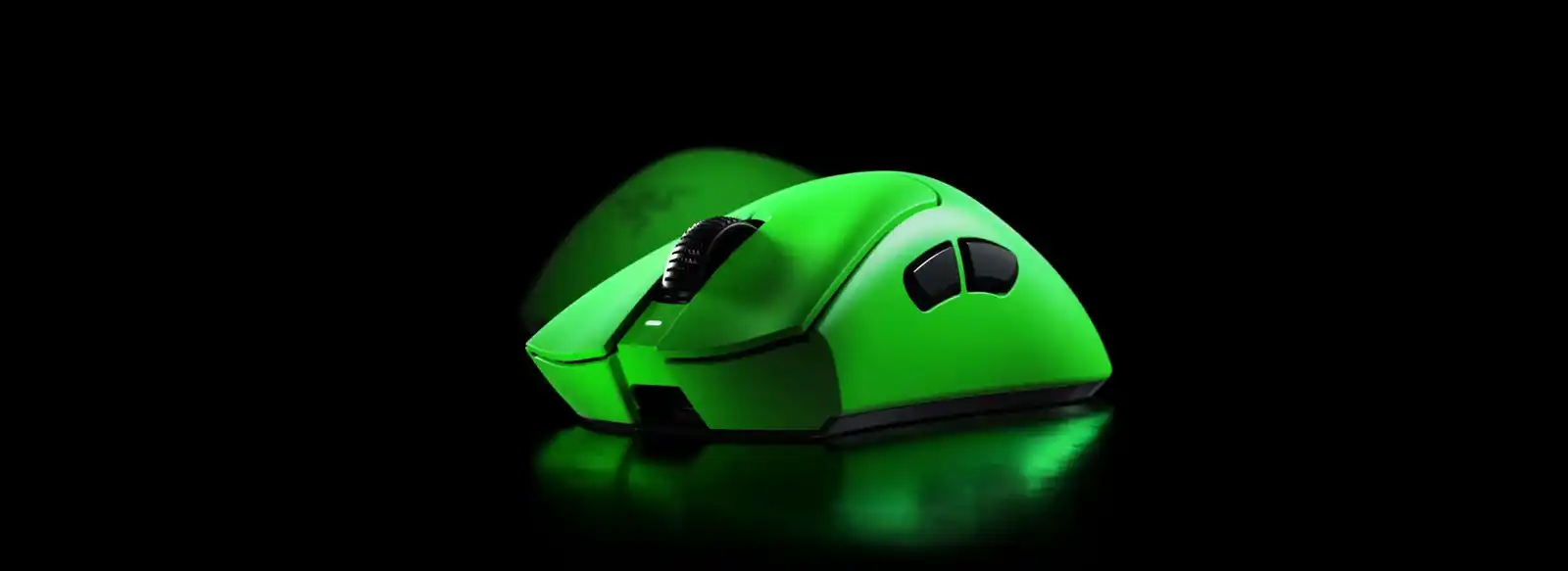
Dimensions are length x width x height in millimeters. Weights are the manufacturers’ listed figures. Razer figures below refer to the black versions; the green DeathAdder shown above is a different finish.
| Mouse | Shape or format | Weight | Dimensions, mm | Sensor | Maximum polling rate | Connection |
|---|---|---|---|---|---|---|
| Logitech G PRO X SUPERLIGHT 2 | Symmetrical | 60 g | 125 x 63.5 x 40 | HERO 2 | 8,000 Hz | LIGHTSPEED wireless |
| Logitech G PRO X SUPERLIGHT 2 DEX | Right-handed ergonomic | 60 g | 125.8 x 67.7 x 43.9 | HERO 2 | 8,000 Hz | LIGHTSPEED wireless |
| Razer Viper V4 Pro | Right-handed symmetrical | Under 49 g | 127.1 x 63.9 x 39.9 | Focus Pro 50K Gen-3 optical | 8,000 Hz | Wireless or wired |
| Razer DeathAdder V4 Pro | Right-handed ergonomic | 56 g | 128 x 68 x 44 | Focus Pro 45K Gen-2 optical | 8,000 Hz | Wireless or wired |
| Pulsar ZywOo The Chosen Mouse Gen.2 Medium | Ergonomic, palm grip | 62 g ±1 | 119.4 x 67.5 x 43.5 | XS-1 optical | 8,000 Hz | Wireless |
| Razer Cobra | Compact symmetrical, wired | 58 g, excluding cable | 119.6 x 62.5 x 38.1 | 8,500 DPI optical | 1,000 Hz | Wired |
| Logitech G305 | Compact, AA battery | 99 g | 116.6 x 62.1 x 38.2 | HERO | 1,000 Hz | LIGHTSPEED wireless |
The PRO X SUPERLIGHT 2 and DEX list the same weight but different shell dimensions. Razer’s Viper V4 Pro is symmetrical, while its DeathAdder V4 Pro is ergonomic. Pulsar explicitly designs the ZywOo shape for palm grip.
For a shorter wired body, the Cobra measures 119.6 mm in length. Logitech’s G305 is shorter still at 116.6 mm and uses a replaceable AA battery. Its wireless report rate is 1,000 Hz.
Shape and grip: palm, claw or fingertip
Corsair distinguishes the grips by where your hand touches the mouse:
- PalmYour palm and fingers rest on the shell.
- ClawThe heel of your hand rests on the shell, with fingers arched toward the buttons and sides.
- FingertipContact is through your fingertips.
Its grip guide links mouse choice to hand size, shell length and palm contact. Shorter bodies and lower profiles can suit fingertip movement; palm grip places more of the hand against the shell.
For palm-oriented options in this comparison, Pulsar describes its ZywOo model as purpose-built for palm grip. Logitech describes the DEX as an asymmetrical right-handed design. Compare those shapes with the symmetrical Superlight 2, Viper V4 Pro and Cobra.
Weight, sensor and DPI
The table separates weight from sensor identity. For example, the 60 g Superlight 2 and 60 g DEX both use HERO 2, while the 99 g G305 uses HERO. Razer specifies different Focus Pro generations for the black Viper V4 Pro and DeathAdder V4 Pro.
DPI is part of the sensitivity setup. Corsair defines eDPI using both the mouse DPI and in-game sensitivity, so a DPI setting alone does not describe that combined setting.
Team Liquid’s March 24, 2026, settings article lists 800 DPI for NAF, 400 for malbsMd and 1600 for EliGE.
For CS2’s sensitivity controls, see CS2 mouse settings. The sensitivity calculator provides eDPI and cm/360 calculations.
Polling rate: 1,000, 4,000 or 8,000 Hz
Polling rate measures how often a mouse reports to the computer. Logitech gives 1,000 Hz as 1,000 updates per second, or one update per millisecond.
Higher polling rates can improve responsiveness on high-refresh setups, but also increase CPU usage and wireless battery consumption. Logitech Support warns that some users experience FPS drops above 1,000 Hz and recommends lowering the rate to see whether performance improves.
The table lists supported maxima. Logitech says advanced Superlight features require G HUB. Pulsar includes a Link 8K receiver with the ZywOo Gen.2; Razer’s Viper V4 Pro and DeathAdder V4 Pro product pages describe 8,000 Hz wireless support.
Wired or wireless, buttons and scroll wheel
Razer’s Cobra connects through a Speedflex cable. For wireless operation, the G305 uses LIGHTSPEED and a USB receiver, while Viper V4 Pro and DeathAdder V4 Pro support both wireless and wired connections.
Razer lists an optical scroll wheel on the DeathAdder V4 Pro. The Cobra uses optical main-button switches, while Logitech lists LIGHTFORCE switches on the Superlight 2 and DEX. Wheel construction and main-button technology are separate specifications.
For mouse-wheel commands and the rules governing multi-input bindings, see CS2 binds.
Pro-player examples: Superlight 2 and signature shapes
In an interview published by PC Gamer on Sept. 25, 2026, yxngstxr told Jacob Fox that he was using the Superlight 2 after trying the Superstrike. The interview records a player’s choice at that time, including a change between models.
Pulsar says its ZywOo The Chosen Mouse Gen.2 was co-designed with ZywOo around a palm-grip shape. Its Medium model includes a weight module for adjusting total weight and balance.
Razer’s DeathAdder V4 Pro NiKo Edition carries NiKo’s signature and preloaded mouse settings. Razer lists its weight as 57 g, separate from the black model’s 56 g in the table above.
For sensitivity examples, open CS2 pro settings. Our Major hardware guide covers official tournament equipment and Valve’s rules on permitted player peripherals.
Mousepad: control, speed and room for movement
Corsair describes cloth surfaces as offering control and room for broad low-DPI movements. Hard and glass surfaces favor a faster, lower-friction glide. Its guide also describes hybrid cloth as a middle ground between speed and stopping power.
The same guide says glide varies with the surface texture and mouse feet. Surface choice belongs alongside the mouse’s weight and shape when comparing a setup.
FAQ
What is the best mouse for CS2?
Compare shape and grip alongside the specifications. This selection includes light symmetrical mice, right-handed ergonomic models, a compact wired Cobra and an AA-powered G305. Their dimensions and connection types are listed above.
Which mouse was co-designed with ZywOo?
Pulsar’s ZywOo The Chosen Mouse Gen.2 is a signature model co-designed with ZywOo. The Medium version listed here has a palm-grip ergonomic shape, an XS-1 sensor and an included Link 8K receiver.
Do you need an 8,000 Hz mouse for CS2?
Logitech says higher rates can benefit high-refresh gaming setups, while its support guidance warns of possible FPS drops above 1,000 Hz. It recommends testing a lower rate if performance drops occur.
What DPI should you use in CS2?
DPI and in-game sensitivity work together. Corsair’s eDPI formula is DPI multiplied by in-game sensitivity. Use the CS2 sensitivity calculator to compare the combined settings and cm/360.
Which mice in this comparison are compact?
The G305 is 116.6 mm long, while the wired Cobra is 119.6 mm long. Compare their width and height with your current mouse as well as their length.
Is the Razer Cobra wired or wireless?
The Cobra in this table is the wired model with a Speedflex cable, a 58 g listed weight excluding the cable and a 1,000 Hz polling rate. It is distinct from the Cobra Pro and Cobra HyperSpeed.
Sources
- Logitech G, PRO X SUPERLIGHT 2 specifications
- Logitech G, PRO X SUPERLIGHT 2 DEX specifications
- Logitech G, G305 specifications
- Razer, Viper V4 Pro specifications
- Razer, DeathAdder V4 Pro specifications
- Razer, Cobra specifications
- Razer, Cobra master guide
- Pulsar, ZywOo The Chosen Mouse Gen.2 Medium specifications
- Corsair, Mouse Grips Explained: Fingertip vs Palm vs Claw
- Logitech, What Is Polling Rate on a Mouse
- Logitech Support, Using a higher report rate sometimes causes FPS drops while gaming
- Team Liquid, These are the best Counter-Strike 2 settings (March 24, 2026)
- Corsair, What is eDPI?
- Corsair, Hard vs Soft Mouse Pad: Which mouse pad surface is right for you?
- Razer, DeathAdder V4 Pro NiKo Edition
- PC Gamer, Jacob Fox's interview with yxngstxr about Superlight 2 (Sept. 25, 2026)