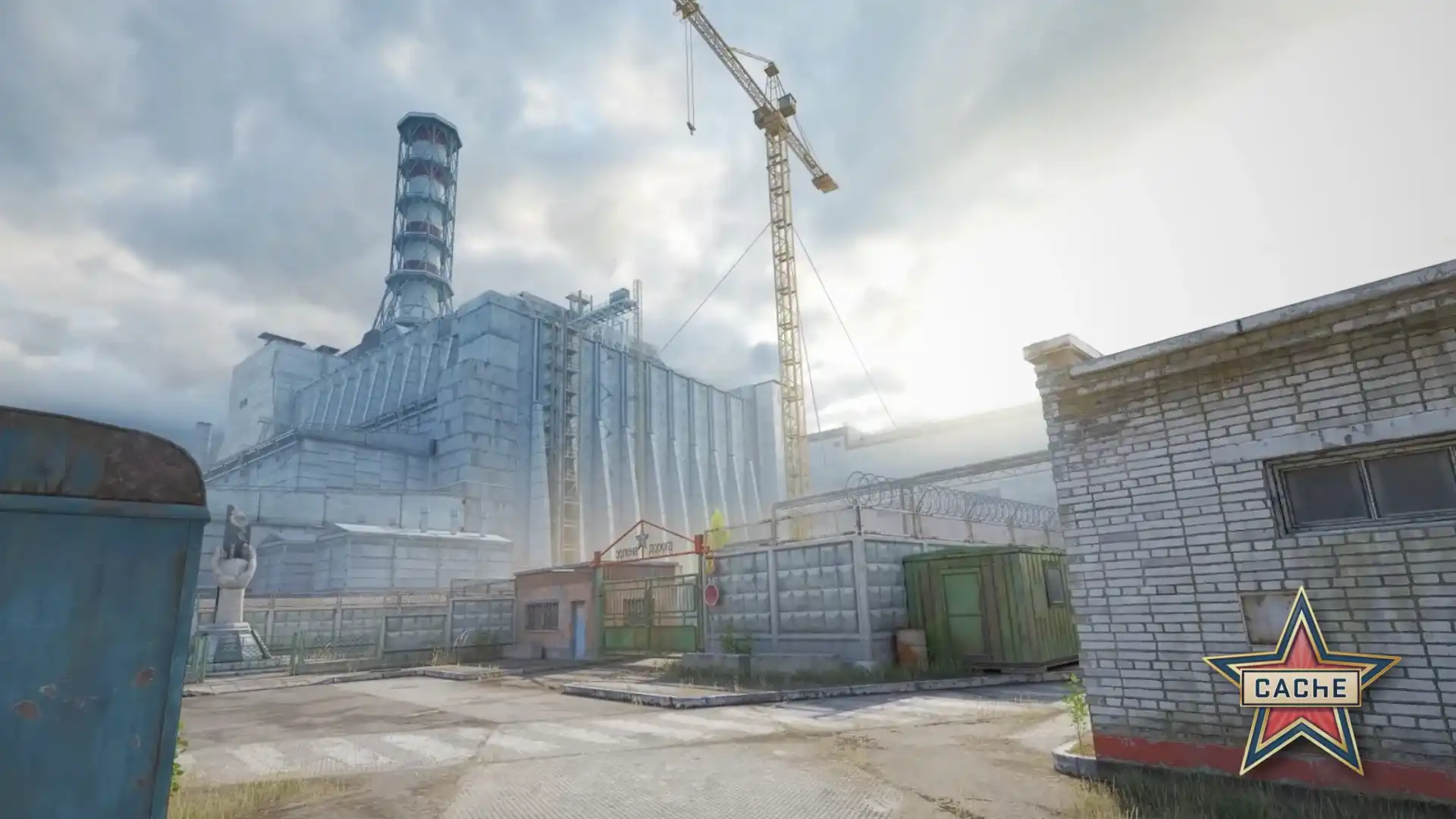
Image: Valve, "The Return Of Cache"
CS2 smoke lineups
The smoke lineups of Valve's official map guides in the CS2 game files of Oct. 22, 2026: where to stand, where to aim and how to throw, in Valve's words.
Ancient smoke lineups
Ancient map pageTop Mid and Donut Smokes
- Stand
- Stand flush with the back of this wall.
- Aim and throw
- Place crosshair at center of the dark brick. Left Click Jump Throw.
Left and Right Side Smokes.
- Stand
- Push into this corner
- Aim and throw
- Aim at upper left of this brick. Left Click Jump Throw.
Ramp Smoke
- Stand
- Stand flush with the edge of this corner.
- Aim and throw
- Aim at the top of the branch. Left Click Throw.
Donut Smoke
- Stand
- Push into the center of these diamonds.
- Aim and throw
- Aim right side middle of this diamond. Left Click Jump Throw.
CT Smoke
- Stand
- Push into this corner.
- Aim and throw
- Aim at upper left of dark square. Left Click Jump Throw.
Watch: Ancient smokes
From other channels; the video plays on YouTube after you click, and YouTube's privacy policy applies.
Anubis smoke lineups
Anubis map pageHeaven
- Stand
- Stand in Corner.
- Aim and throw
- Aim at middle of box edge. Jump Throw.
Left B Site
- Stand
- Stand in Corner.
- Aim and throw
- Aim at top of vines. Jump Throw.
T Stairs
- Stand
- Stand in Corner.
- Aim and throw
- Aim at the leaf. Jump Throw.
Mid
- Stand
- Stand in Corner.
- Aim and throw
- Aim at edge of trim. Jump Throw.
Window
- Stand
- Stand in Corner.
- Aim and throw
- Aim at the corner of the roof. Left Click Jump Throw.
A Main
- Stand
- Stand in Corner.
- Aim and throw
- Aim at top of roof in line with stone square. Jump Throw.
Watch: Anubis smokes
From other channels; the video plays on YouTube after you click, and YouTube's privacy policy applies.
Cache smoke lineups
Cache map pageCross Smoke
- Stand
- Stand in this corner.
- Aim and throw
- Using grenade crosshair, aim where thencorner meets the third pole, left click throw.
Connector Smoke
- Stand
- Push into this corner.
- Aim and throw
- Aim at the dark spot, left click jump throw.
Tree Smoke
- Stand
- Push into the center of the left post.
- Aim and throw
- Aim where the horizontal and vertical lines meet, left click throw.
Heaven Smoke
- Stand
- Push into this corner.
- Aim and throw
- Aim left of the small white spot, left click throw.
B Main Smoke
- Stand
- Stand in the middle of the panel.
- Aim and throw
- Aim at the middle of the column, left click throw.
White Box Smoke
- Stand
- Push into the middle of the white column.
- Aim and throw
- Aim to the right of the joist, left click throw.
A Main Smoke
- Stand
- Push into the truck.
- Aim and throw
- Aim at the middle of the windows, left click throw.
Watch: Cache smokes
From other channels; the video plays on YouTube after you click, and YouTube's privacy policy applies.
Dust II smoke lineups
Dust II map pageXbox
- Stand
- Stand in Corner.
- Aim and throw
- Aim at corner where buildings meet. Left Click Jump Throw.
B Doors
- Stand
- Stand in corner by trash.
- Aim and throw
- Aim at corner of building. Left Click Jump Throw.
A Cross
- Stand
- Stand at end of Blue trash.
- Aim and throw
- Aim slightly to the right of upper building. Left Click Throw.
Mid CT
- Stand
- Stand against middle of door.
- Aim and throw
- Aim at circle on door frame. Left Click Jump Throw.
CT
- Stand
- Stand in Corner.
- Aim and throw
- Aim at corner of building. Left Click Throw.
B Tunnel
- Stand
- Stand in Corner.
- Aim and throw
- Aim at wooden crossbeam. Left Click Jump Throw.
Long A Doors
- Stand
- Stand in Corner.
- Aim and throw
- Aim at bottom of wire along building trim. Left Click Jump Throw.
Watch: Dust II smokes
From other channels; the video plays on YouTube after you click, and YouTube's privacy policy applies.
Inferno smoke lineups
Inferno map pageCT Boost
- Stand
- Stand against wall at center of gas panel.
- Aim and throw
- Aim just to the left of the roof corner. Left Click Throw.
Coffins
- Stand
- Stand in Corner.
- Aim and throw
- Aim at bottom of trim above corner of sandbag. Left Click Jump Throw.
Left Top Mid
- Stand
- Stand against wall at center of window.
- Aim and throw
- Aim at corner of roof. Left Click Throw.
A Site Moto
- Stand
- Stand against wall at pole.
- Aim and throw
- Aim at light bulb. Left Click Jump Throw.
Banana
- Stand
- Stand in corner in front of chair.
- Aim and throw
- Aim at bottom left corner of wooden window frame. Left Click Jump Throw.
Banana Half-Wall
- Stand
- Stand in Corner.
- Aim and throw
- Aim at tip of beam. Left Click Jump Throw.
Mid
- Stand
- Stand in corner behind chair.
- Aim and throw
- Aim where beam and roof trim meet. Left Click Jump Throw.
Watch: Inferno smokes
From other channels; the video plays on YouTube after you click, and YouTube's privacy policy applies.
Mirage smoke lineups
Mirage map pageWindow
- Stand
- Stand in corner against stairs.
- Aim and throw
- Aim at second shape from the left on inner rug pattern. Left Click Jump Throw.
Connector
- Stand
- Stand in corner against trashcan.
- Aim and throw
- Aim at corner of first step up of inner rug pattern. Left Click Jump Throw.
Cat
- Stand
- Stand in Corner.
- Aim and throw
- Aim at corner of building. Left Click Throw.
CT
- Stand
- Stand against wall at first corner.
- Aim and throw
- Aim at center of wooden beam. Left Click Jump Throw.
T Ramp
- Stand
- Stand in Corner.
- Aim and throw
- Aim where top of box meets building. Left Click Throw.
Apts
- Stand
- Stand in Corner.
- Aim and throw
- Aim at the corner of the metal hanger. Left Click Throw.
Watch: Mirage smokes
From other channels; the video plays on YouTube after you click, and YouTube's privacy policy applies.
Nuke smoke lineups
Nuke map pageOutside Smoke Wall
- Stand
- Push into the dark seam on this wall.
- Aim and throw
- Aim at right side of lamp. Left Click Jump Throw.
Garage Smoke
- Stand
- Push into center of the pole.
- Aim and throw
- Aim at middle of bracket shadow. Left Click Jump Throw.
Unbreakable Smoke
- Stand
- Push into the center of the heart.
- Aim and throw
- Aim at corner of building. Left Click Throw.
Watch: Nuke smokes
From other channels; the video plays on YouTube after you click, and YouTube's privacy policy applies.
Overpass smoke lineups
Monster
- Stand
- Stand in Corner.
- Aim and throw
- Aim just below power line hanger. Jump Throw.
T Ramp
- Stand
- Stand in Corner.
- Aim and throw
- Aim at top of roof on second beam from the right. Jump Throw.
Heaven
- Stand
- Stand in Corner.
- Aim and throw
- Aim on pole at top right of billboard. Left Click Throw.
Bridge
- Stand
- Stand in Corner.
- Aim and throw
- Aim at corner made by building and billboard. Left Click Jump Throw.
Bank
- Stand
- Stand in Corner.
- Aim and throw
- Aim at top right of wood beam. Left Click Jump Throw.
Dumpster
- Stand
- Stand on top of middle of bench.
- Aim and throw
- Aim at top left of light. Left Click Throw.
Watch: Overpass smokes
From other channels; the video plays on YouTube after you click, and YouTube's privacy policy applies.
Where the lineups come from
The lineups are Valve's official map guides in the CS2 game files, quoted as they are, typos included. The files are read in GameTracking-CS2, a public copy of the game files on GitHub (Valve does not publish them itself), at the version of Oct. 22, 2026. Lineups the files give without a title are not listed, among them all of Train's: its guide keeps its words in strings that are not in the game's English text file.
Sources
- Ancient: Valve's official map guide (game file)
- Anubis: Valve's official map guide (game file)
- Cache: Valve's official map guide (game file)
- Dust II: Valve's official map guide (game file)
- Inferno: Valve's official map guide (game file)
- Mirage: Valve's official map guide (game file)
- Nuke: Valve's official map guide (game file)
- Overpass: Valve's official map guide (game file)
The videos are from other channels; each plays on YouTube after you click, and YouTube's privacy policy applies.