CS2 controls: default keys, key bindings and control settings
Every default key in CS2 from the game files, section by section as the settings show them, with bind commands and Valve's rules for binds.
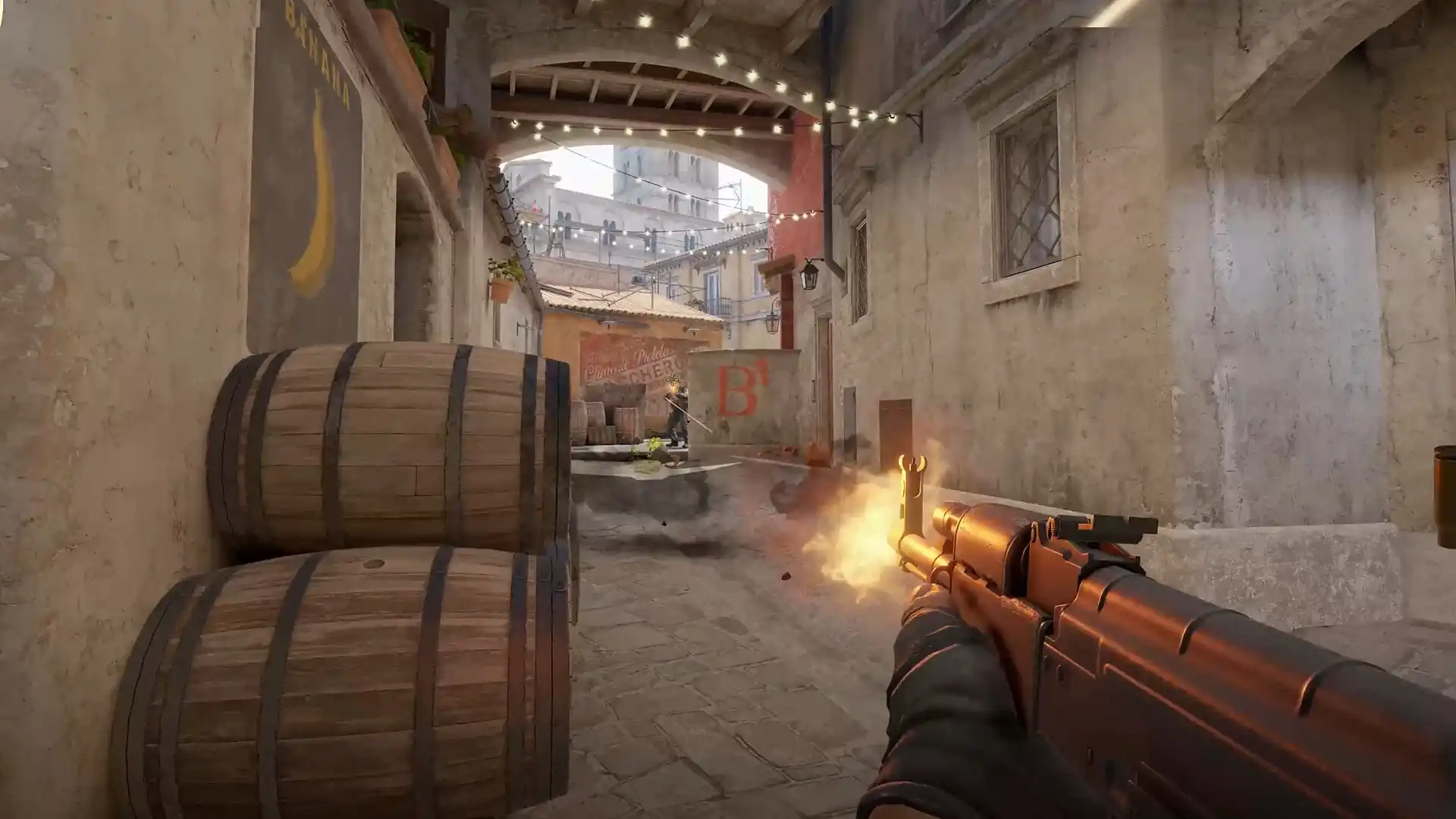
In Counter-Strike 2 you move with W, A, S and D, jump with Space, duck with Ctrl and walk with Shift. Mouse 1 fires, Mouse 2 is Secondary Fire, R reloads, B opens the Buy Menu and Tab shows the Scoreboard. These are the defaults in the game files of Nov. 3, 2026; the game’s Keyboard & Mouse settings list each action with the key set for it.
CS2 default keys on a keyboard
Mouse
Mouse 1FireMouse 2Secondary FireMouse 3Player PingMouse 4Use MicrophoneWheel upSelect Previous WeaponWheel downSelect Next Weapon- Movement Keys
- Weapon Keys
- UI Keys
- Communication Options
- Chat Wheel Keys
- Other
Movement keys
| Action | Default key | Command |
|---|---|---|
| Toggle Inventory Display | I | show_loadout_toggle |
| Move Forward | W | +forward |
| Move Backward | S | +back |
| Move Left (strafe) | A | +left |
| Move Right (strafe) | D | +right |
| Walk | Shift | +sprint |
| Duck | Ctrl | +duck |
| Jump | Space | +jump |
The Keyboard & Mouse settings let Duck Mode and Walk Mode work on Hold or Toggle.
Weapon keys
| Action | Default key | Command |
|---|---|---|
| Use | E | +use |
| Fire | Mouse 1 | +attack |
| Secondary Fire | Mouse 2 | +attack2 |
| Reload | R | +reload |
| Radial Weapon Menu | Not set | +quickinv |
| Select Previous Weapon | Wheel up | invprev |
| Select Next Weapon | Wheel down | invnext |
| Last Weapon Used | Q | lastinv |
| Drop Weapon | G | drop |
| Inspect Weapon | F | +lookatweapon |
| Switch Viewmodel Left/Right Hand | H | switchhands |
| Buy Menu | B | buymenu |
| Autobuy | F3 | autobuy |
| Rebuy | F4 | rebuy |
| Primary Weapon | 1 | slot1 |
| Secondary Weapon | 2 | slot2 |
| Melee Weapons | 3 | slot3 |
| Cycle Grenades | 4 | slot4 |
| Explosives & Traps | 5 | slot5 |
| HE Grenade | 6 | slot6 |
| Flashbang | 7 | slot7 |
| Smoke Grenade | 8 | slot8 |
| Decoy Grenade | 9 | slot9 |
| Molotov Cocktail / Incendiary Grenade | 0 | slot10 |
| Zeus x27 | Not set | slot11 |
| Healthshot | X | slot12 |
| Utility Items | Not set | slot13 |
| Graffiti Menu | T | +spray_menu |
Valve’s release notes of April 25, 2024, “Added ‘Switch Viewmodel Left/Right Hand’ key binding (default: US keyboard letter H) to switch hands temporarily during gameplay.”
Silent Reload Mode works on Hold or Toggle too. Valve’s update of Oct. 28, 2026, “Added an option to switch Silent Reload Mode between Hold and Toggle. With toggle enabled, once the silent reload starts you can let go of the reload button. To cancel a silent reload and go back to a fast reload, you can tap the reload button again.”
The Buy Menu
Valve’s post of April 25, 2024, says: “To help you decide whether to buy or save, the top right of the buy menu now features the minimum amount of money you’re guaranteed to have next round (thanks Kadomos). And at the bottom you’ll find the new ‘Dropped Weapons’ panel, where you can see (and directly pick up) any weapons that you or teammates have dropped in the buy zone.” The release notes of Feb. 6, 2024, “Added a ‘Refund All’ button to the buy menu,” and Valve’s update of July 2, 2025, says: “Buy binds are now disabled during halftime freeze phase.”
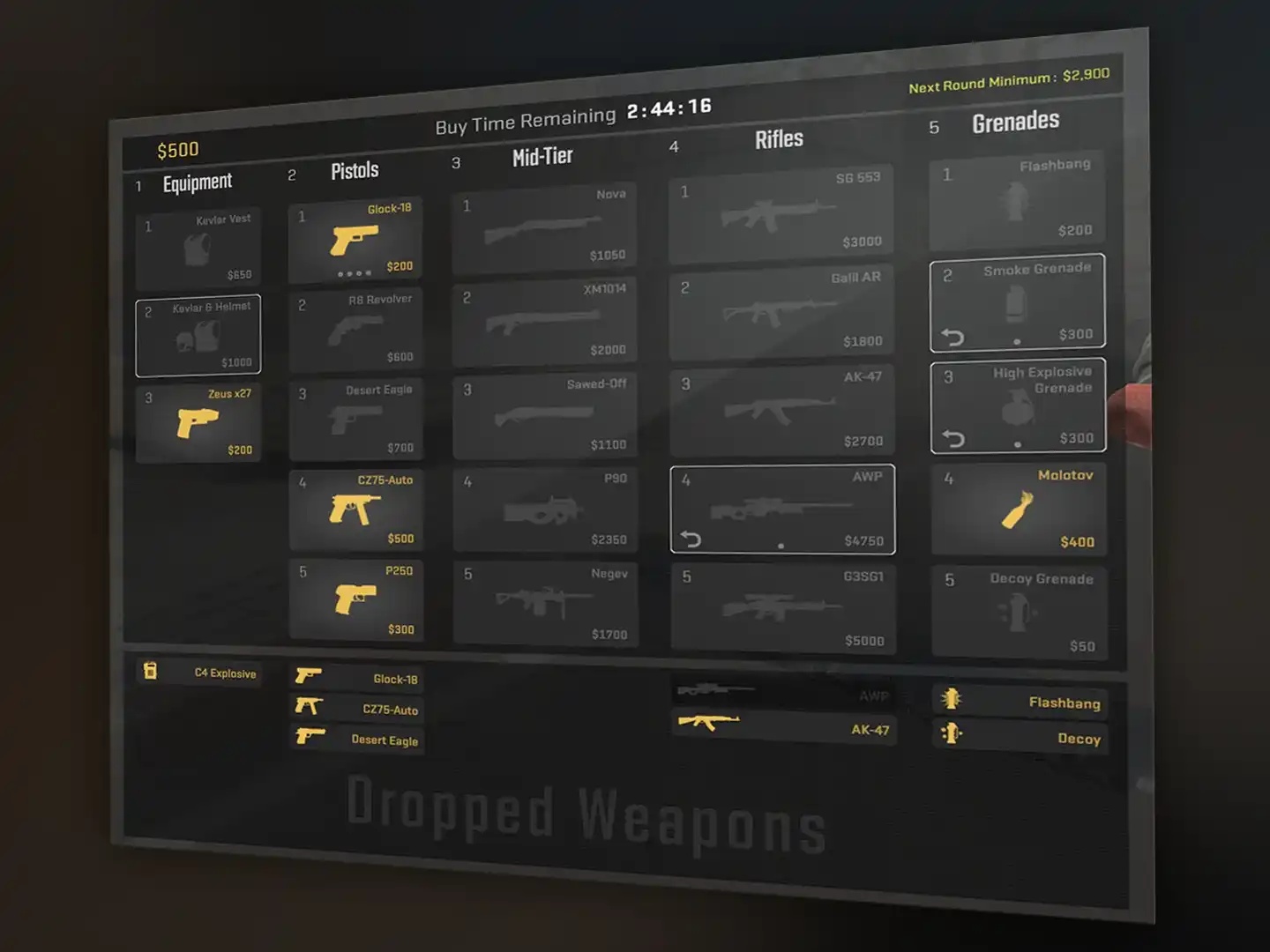
Watch: the buy menu
From other channels; the video plays on YouTube after you click, and YouTube's privacy policy applies.
UI keys
| Action | Default key | Command |
|---|---|---|
| Scoreboard | Tab | +showscores |
| Show Team Equipment | Not set | +cl_show_team_equipment |
| Toggle Radar Zoom | Not set | toggleradarscale |
| Call Vote | Not set | callvote |
| Choose Team | M | teammenu |
| Toggle Console | ` | toggleconsole |
The game settings also have Enable Developer Console, set to Yes or No; its tooltip says: “If you have launch options like -dev or -console that enable the console they override this setting.” Commands for the console are in CS2 console commands. Valve’s release notes of April 25, 2024, “Added ‘Radar Map Alternate Zoom’ setting and ‘Toggle Radar Zoom’ key binding to toggle between zoom levels during gameplay.”
Communication keys and chat wheels
| Action | Default key | Command |
|---|---|---|
| Player Ping | Mouse 3 | player_ping |
| Radio Message | Z | radio |
| Command Radio Message | Not set | radio1 |
| Standard Radio Message | Not set | radio2 |
| Report Radio Message | Not set | radio3 |
| Team Message | U | messagemode2 |
| Chat Message | Y | messagemode |
| Use Microphone | Mouse 4 | +voicerecord |
| Toggle between Open-Mic and Push-To-Talk | Not set | voice_toggle_open_mic |
| Temporarily Disable Incoming Chat | Not set | clutch_mode_toggle |
| Action | Default key | Command |
|---|---|---|
| Chat Wheel 1 | C | +radialradio |
| Chat Wheel 2 | V | +radialradio2 |
| Chat Wheel 3 | Not set | +radialradio3 |
Since Valve’s release notes of Dec. 4, 2023, “Player pings will now be displayed in the player’s color.” The update of Oct. 8, 2026, “Added a ping icon for dropped defuse kits.”
Binds that Valve does not allow
Valve’s post of Aug. 19, 2024, says: “To prevent accidental infractions, in-game binds that include more than one movement and/or attack actions will no longer work (e.g., null-binds and jump-throw binds).” The release notes of the same day list the commands:
Input binds that include more than one of the following commands will now be ignored by default. Support can be re-enabled using the cheat-protected convar cl_allow_multi_input_binds 1
sprint, reload, attack, attack2, turnleft, turnright, turnup, turndown, forward, back, left, right, moveup, movedown, klook, use, jump, duck, strafe, zoom, yaw, pitch, forwardback, rightleft
For keyboards with input automation, the post adds: “If you have a keyboard that includes an input-automation feature (e.g., ‘Snap Tap Mode’), be sure to disable the feature before you join a match in order to avoid any interruption to your matches.” Binds you can make are in CS2 binds.
Other keys in the default file
The default file also sets these keys, which the Keyboard & Mouse settings do not list:
| Default key | Command |
|---|---|
| Esc | cancelselect |
| , | buyammo1 |
| . | buyammo2 |
| F5 | jpeg |
| F6 | save quick |
| F7 | load quick |
| F10 | cs_quit_prompt |
| Delete | sellbackall |
FAQ
How do you walk in CS2?
Hold Shift: the game files bind Walk to Shift. Walk Mode in the Keyboard & Mouse settings can switch it from Hold to Toggle.
How do you crouch in CS2?
Hold Ctrl, which the game files bind to Duck. Duck Mode can be set to Hold or Toggle.
How do you inspect your weapon in CS2?
Press F: the game files bind Inspect Weapon to F.
How do you switch hands in CS2?
Press H. Valve’s notes of April 25, 2024, give the “Switch Viewmodel Left/Right Hand” key binding the “default: US keyboard letter H.”
How do you open the buy menu in CS2?
Press B. F3 is Autobuy and F4 is Rebuy in the default keys.
How do you ping in CS2?
Press Mouse 3, which the game files bind to Player Ping.
Do jump-throw binds work in CS2?
Not by default. Since Aug. 19, 2024, “in-game binds that include more than one movement and/or attack actions will no longer work (e.g., null-binds and jump-throw binds).”
Sources
- Valve, CS2 game file user_keys_default.vcfg (GameTracking-CS2 mirror, Nov. 3, 2026)
- Valve, CS2 game file settings_kbmouse.xml (GameTracking-CS2 mirror, Nov. 3, 2026)
- Valve, CS2 game file settings_game.xml (GameTracking-CS2 mirror, Nov. 3, 2026)
- Valve, CS2 game text csgo_english.txt (GameTracking-CS2 mirror, Nov. 3, 2026)
- Valve, Release Notes for 12/4/2023 (Dec. 4, 2023)
- Valve, Release Notes for 2/6/2024 (Feb. 6, 2024)
- Valve, Release Notes for 4/25/2024 (April 25, 2024)
- Valve, On The Other Hand... (April 25, 2024)
- Valve, Side-stepping Skill (Aug. 19, 2024)
- Valve, Release Notes for 8/19/2024 (Aug. 19, 2024)
- Valve, Counter-Strike 2 Update (July 2, 2025)
- Valve, Counter-Strike 2 Update (Oct. 8, 2026)
- Valve, Counter-Strike 2 Update (Oct. 28, 2026)