News · Esports
CSstats lists CS2 crosshairs of 20 top pros from FACEIT matches
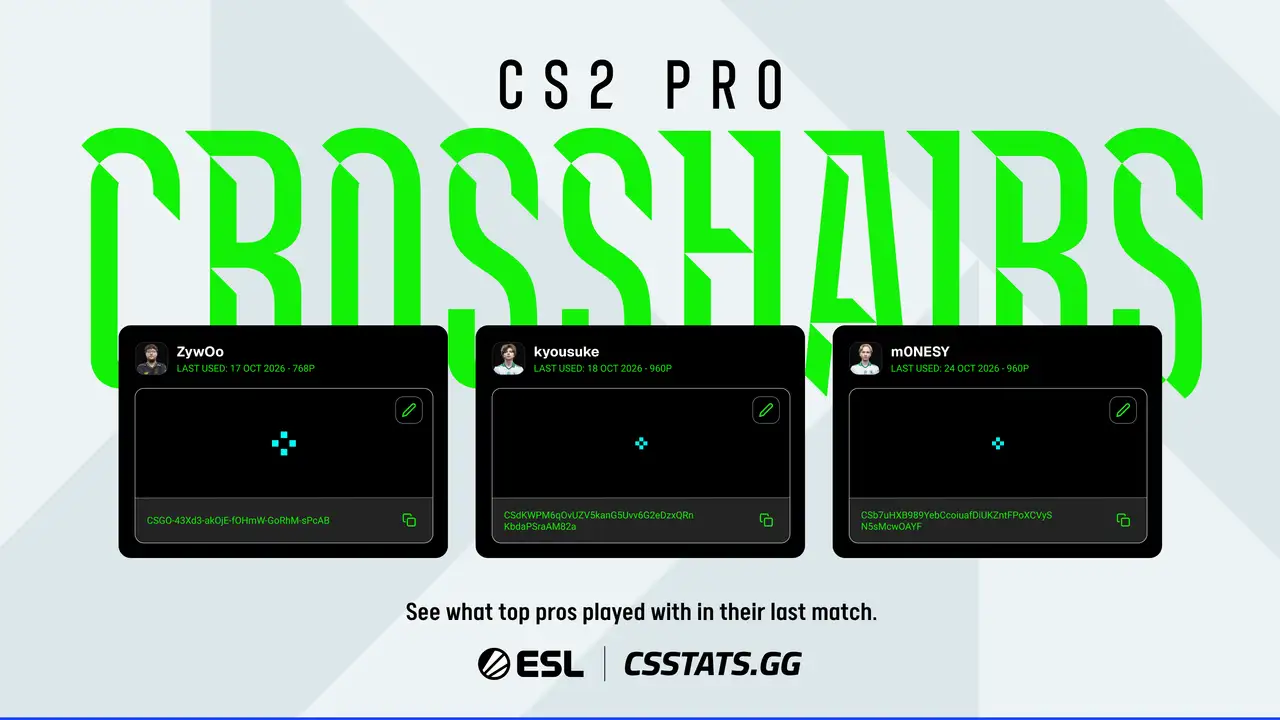
CSstats.gg now shows the crosshairs that 20 top players used in their latest FACEIT matches, with the date of the game and the resolution played.
Key facts
- Whatcrosshairs of 20 top players from their latest FACEIT matches
- PlatformCSstats.gg
CSstats.gg now shows the Counter-Strike 2 (CS2) crosshairs that 20 top players used in their most recent matches on FACEIT, ESL reported on Nov. 2. Each entry comes with the date of the player’s latest game with that crosshair and the resolution they played on.
Five crosshairs from global stars
ESL highlighted five of the crosshairs:
- donkcurrently one of the smallest, in a bold yellow hue
- ZywOocyan with a visible gap
- m0NESYcyan, identical to kyousuke’s
- kyousukecyan, identical to m0NESY’s
- NiKoa small green curved shape with a larger gap
How to copy a crosshair
ESL wrote that a pro’s crosshair is set up for their screen and their role, so it should be treated as a starting point.
To use one, click the copy button on the pro’s card. The crosshair can then be adjusted with the pencil on the card on CSstats, or built from scratch with the CS2 crosshair generator. In CS2, players open the game settings, go to crosshair, select “import” and enter the share code.
A pro outside the top 20 can be copied too. ESL said to take the Steam profile link from the player’s Liquipedia page, search for it on CSstats and open the player’s most recent match to copy the code from the match page.
Why it matters
Players can copy a pro's crosshair share code from CSstats.gg, adjust it there and import it in the Counter-Strike 2 crosshair settings.